In the Loop· August 24, 2026
What is a Knowledge Management System? A Plain-Language Guide

Contents
A knowledge management system is software that captures what your company knows, organizes it, and makes it findable by the people who need it. That’s what keeps it from walking out the door in someone’s head, or getting buried three folders deep in a drive nobody checks.
That’s the textbook version. Day to day, it means fewer Slack messages asking where the pricing doc is, and fewer new hires re-learning what the last person already figured out. Decisions stop getting made on outdated information because nobody could find the right doc.
Why this matters more than it sounds like it should
Every company has knowledge. Almost none of it is managed.
It’s scattered across email threads, Slack DMs, a Notion page someone made once and never touched again, and the heads of the three people who’ve been there the longest. When one of them leaves, the knowledge leaves with them.
A 2012 McKinsey Global Institute report puts a number on the cost of this: a searchable, well-organized knowledge base can cut the time employees spend searching for information by as much as 35%. That’s not a rounding error. That’s a third of the time your team spends hunting instead of working, recovered.
What a knowledge management system actually does
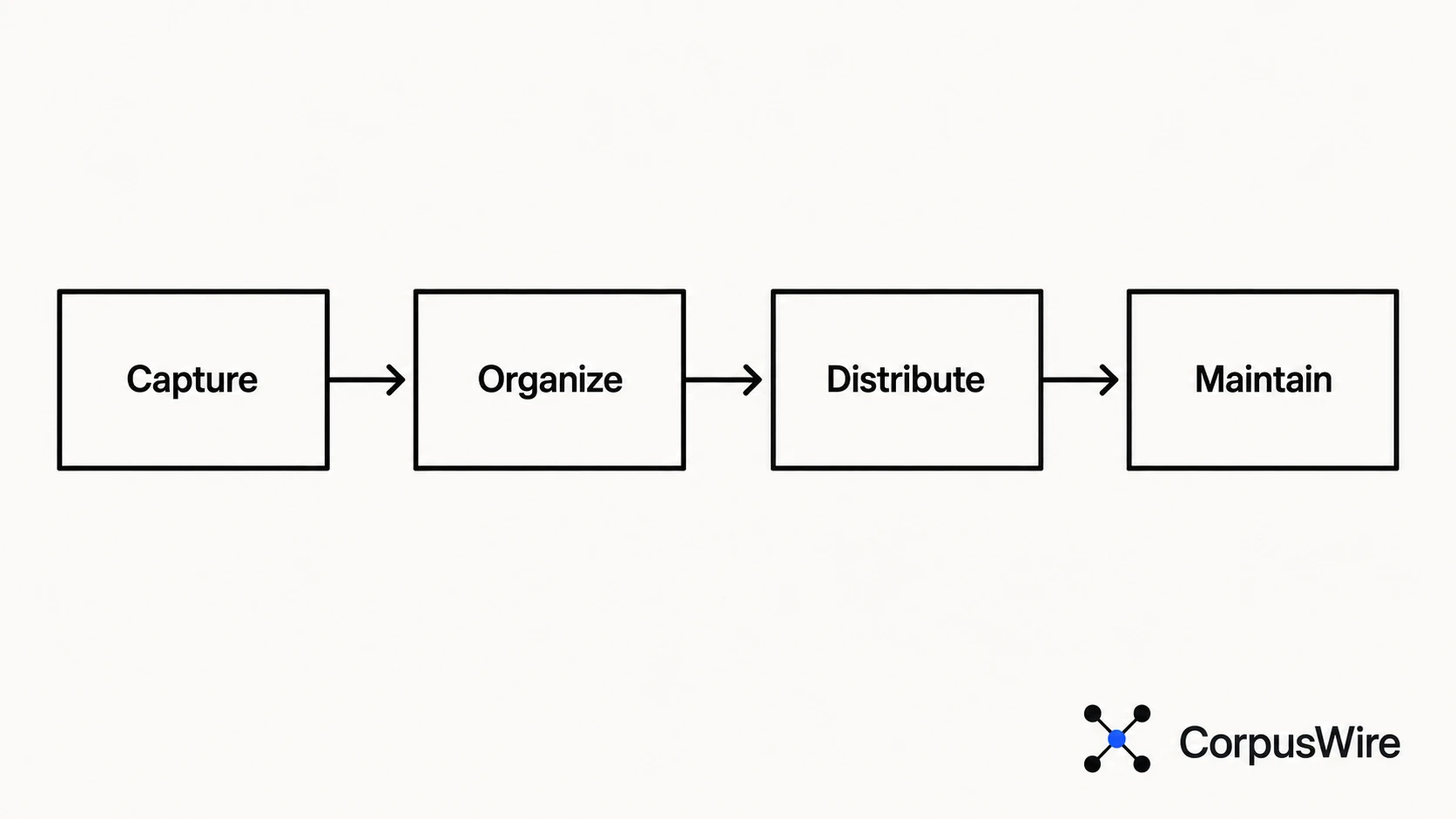
Strip away the vendor language and a KMS does four things:
Capture. It pulls knowledge out of people’s heads and out of scattered files into one place. Documentation, process notes, decisions, answers to questions that keep coming up.
Organize. Raw information isn’t useful until it’s structured. Tagged, categorized, and linked to related content, it becomes something people can search and find.
Distribute. The knowledge shows up where people already work. Search, integrations, sometimes a chatbot that pulls the right answer instead of making someone dig for it.
Maintain. Knowledge rots. A KMS needs a way to flag what’s gone stale, so the system stays trustworthy instead of turning into another graveyard of outdated docs.
Miss any one of those four and you don’t have a knowledge management system. You have a very organized filing cabinet, or a search bar pointed at chaos.
The difference between a KMS and a wiki
This is the question people genuinely have, so let’s answer it directly: a wiki is a place to write things down. A knowledge management system is a system for keeping what’s written down accurate, findable, and actively used.
A wiki doesn’t know what’s out of date. It doesn’t tell you if two pages contradict each other, or whether anyone’s reading a page versus ignoring it.
It’s a container, genuinely useful, but passive. It waits for someone to update it, and usually nobody does.
A knowledge management system builds the maintenance loop in. Ownership, review cadence, staleness flags, usage analytics: the parts that keep a wiki from quietly becoming a museum of decisions your company made years ago and never revisited.
Put another way: every KMS could technically be built on top of a wiki. Almost no wiki, on its own, is a knowledge management system. If you’re weighing a KMS against an AI-native operating layer, the same distinction applies one level up: structure without a maintenance loop, whatever form it takes, drifts out of date.
The main types of knowledge management systems
Not every KMS looks the same. Four shapes come up most often.
Internal wikis and knowledge bases. The most common starting point: Confluence, Notion, SharePoint. Good for capture, weak on maintenance unless someone actively owns it.
Customer-facing help centers. Public documentation and support articles, built to deflect tickets before a human has to answer them. The audience is external, but the underlying discipline (accuracy, findability, staleness control) is identical.
Learning management crossover systems. Onboarding content, training material, certification tracking. Knowledge management shades into L&D here, especially at companies where new-hire ramp time is the pain point being solved for.
AI-native retrieval layers are the newest category, and the one changing fastest. Instead of a person searching a static index, an AI agent queries the corpus directly and returns a grounded, sourced answer. This is where the field is heading, even for companies that haven’t adopted it yet.
Most companies end up running some combination of the first two. The fourth is increasingly sitting on top of whichever combination they already have, rather than replacing it outright.
Where AI changes the equation
Traditional knowledge management assumed a human would search, read, and synthesize. That’s still true for plenty of use cases. It’s no longer the only model, though.
An AI-native Brain is an indexed, continuously synced layer built on top of your actual document corpus. It flips the search problem. Instead of a person typing keywords into a search bar and skimming five results, an AI agent queries the corpus directly and returns a grounded answer, sourced back to the original document that supports it.
The discipline underneath doesn’t change. Capture, organize, maintain: that work still has to happen, and skipping it just means the AI layer is confidently retrieving from a mess. What changes is the retrieval step itself, handed to something that can read every document in the corpus at once instead of one search result at a time.
Provenance matters more here, not less. A system that returns a confident answer with no way to trace it back to a source document is a liability dressed up as a productivity tool. The organizations that get real value from an AI-native layer are the ones that insisted on traceability from day one, not the ones that bolted it on after the first wrong answer caused a problem.
The goal either way is the same thing knowledge management has always been chasing: institutional memory that survives someone leaving, a reorg, or six months of nobody thinking to update the doc.
What to actually look for
If you’re evaluating a knowledge management system, three things matter more than the feature list:
Does it stay current without someone babysitting it? A system that requires constant manual upkeep gets the same treatment as the wiki it’s replacing. Ignored, until it’s wrong.
Can it tell you what it doesn’t know? A system that confidently answers questions it has no real basis for is worse than no system. It should be able to say “I don’t have an answer for that” instead of guessing.
Does the answer trace back to a source? If you can’t check where an answer came from, you can’t trust it under pressure. Provenance isn’t a nice-to-have: it’s the difference between a system people rely on and a system people quietly stop trusting after it’s wrong once.
Everything else (the dashboard, the integrations, the pricing tiers) is secondary to those three questions.
Getting started without overbuilding
The most common mistake isn’t picking the wrong tool. It’s trying to build the complete system on day one: every process documented, every team onboarded, every edge case covered before anything ships.
Start narrower. Pick the one knowledge gap costing the most time right now: docs new hires can’t find, a support team re-answering the same questions weekly, or a product doc nobody trusts anymore. Solve that one thing well enough that people actually use it, then expand.
A knowledge management system that covers 20% of your documentation and gets used every day beats one that covers 100% and gets opened twice a quarter. Adoption is the metric that actually matters. Coverage is just the input.
FAQ
What’s the difference between KM software and a wiki? A wiki stores information; a knowledge management system maintains it, adding the ownership, review cadence, and staleness detection a wiki doesn’t have. Without that layer, a wiki can’t flag outdated content, track whether pages are being used, or stop contradictory versions from coexisting indefinitely. Most knowledge management systems use a wiki-like structure underneath: the difference is everything layered on top of it.
Do I need a knowledge management system if my team is small? Team size matters less than knowledge sprawl. A five-person team where everything lives in one founder’s head has a knowledge management problem waiting to happen the day that person is unavailable, on vacation, or gone. The trigger isn’t headcount, it’s whether losing that person’s memory would meaningfully slow the team down, and if the answer is yes, the system is worth having before it’s urgently needed.
Want this running inside your own org?
Happy to show you how this fits your setup. 30-minute call, your documents, no prep needed.
Book a call →