In the Loop· August 19, 2026
Vector database for RAG: what it actually does, in plain English
Contents
A vector database is a database built to search by meaning instead of exact words. Ask it “how do I cancel a subscription” and it can return the chunk or document record titled “ending your plan,” even though the two phrases don’t share a single word.
Its core job: store your documents as numbers, then find the closest matches to a question, fast, at any scale.
That’s also why it’s the piece that makes RAG (retrieval-augmented generation) work at all. An AI model can’t search your documents on its own. It has no memory of what you’ve written beyond its training data, and it can’t grep a folder.
A vector database, sometimes shortened to vector db, is the part of the system that actually goes and finds the right paragraph before the model ever tries to answer.
A normal keyword search looks for matching words, even with stemming, synonyms, or fuzzy matching layered on top. A vector database searches by meaning instead.
Search “employee handbook” and it can also surface a document titled “staff policy manual,” because the two phrases mean the same thing even though they share zero words in common. That’s the capability RAG depends on.
What a vector database actually stores
It doesn’t store your documents the way a normal database does, as rows and columns of text. It stores embeddings: long lists of numbers that represent the meaning of a piece of text.
An embedding model reads a chunk of text and outputs something like 1,536 numbers. Two chunks that mean similar things end up with similar numbers, even if the wording is completely different.
“Onboarding checklist” and “getting started guide” land close together in that number space. “Onboarding checklist” and “refund policy” land further apart, related to the same product but not the same question.
Comparing meaning instead of exact wording is the whole point. Everything in the database has already been converted into a number a computer can compare, not text it has to match character for character.
Your documents don’t arrive as embeddings, obviously. Something has to generate them first, usually a separate embedding model or embedding provider (OpenAI’s, or one running locally).
It runs once per document, or once per chunk if a document gets split up first. The vector database’s job starts after that: store the resulting numbers, and make them searchable.
Say you run a 40-page HR policy through this process. It gets split into maybe 60 chunks, each one a paragraph or two.
Each chunk gets its own embedding, so you end up with 60 lists of numbers, each one representing what that specific paragraph is actually about. A question later about parental leave doesn’t need to load all 40 pages.
It just needs the two or three chunks whose numbers sit closest to the question’s own numbers. The vector database is what finds those in a single call.
How the database finds the right answer
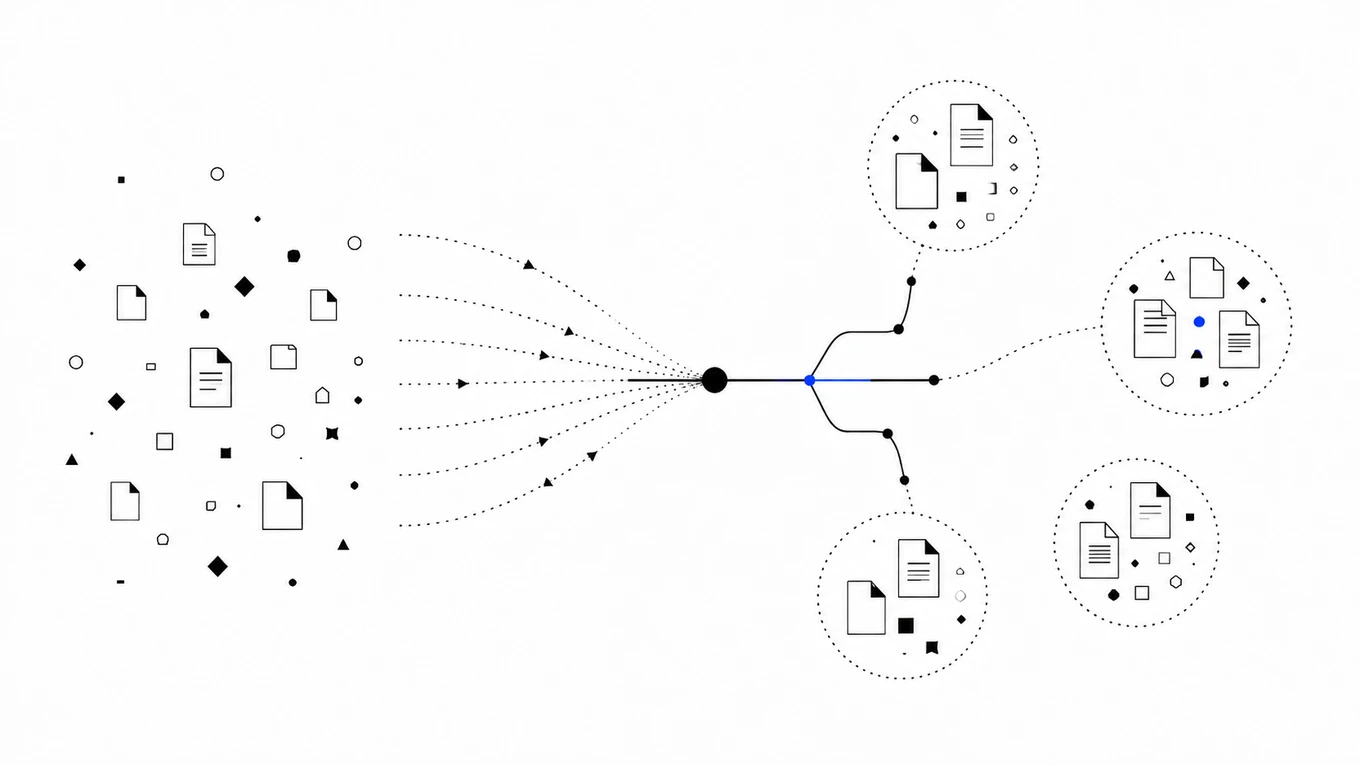
Once everything is stored as numbers, finding a match is a matter of distance. When a question comes in, it gets converted into a vector too, using the same embedding model.
The database then looks for the vectors already stored that sit closest to it in that number space, a process usually called similarity search or nearest-neighbor search.
At small scale you could do this by comparing the query vector against every stored vector one by one. At real scale, that gets slow.
So vector databases use indexing structures (HNSW is the common one right now) that narrow the search to the right neighborhood of the space instead of scanning everything. Actual speed depends on hardware, index configuration, vector count, and how much metadata filtering runs alongside the search. There’s no single number that applies everywhere.
But the point of the index is the same either way: keep that search fast as the collection grows into the millions.
Under the hood, “closest” gets measured with a distance metric, most commonly cosine similarity or dot product. That choice is a system-level decision, usually set once when the index is configured, not something the embedding model dictates on its own.
Purpose-built vector databases (Pinecone, Qdrant, Weaviate) exist because comparing meaning at that scale needs storage and indexing designed for it. But that doesn’t mean vector search only lives in a dedicated, standalone product.
Postgres users get the same capability by adding the pgvector extension. Elasticsearch and OpenSearch both added native vector search to their existing stacks.
The functionality can live inside a database you already run or in a dedicated service. Which one fits depends on how much vector search has to scale independently of the rest of your data.
That’s the entire retrieval step in RAG. The vector database doesn’t answer the question. It just finds the paragraphs most likely to contain the answer and hands them to the model.
The model then writes the actual response using that retrieved text as its source material.
Why vector search alone usually isn’t enough
A vector database handles semantic matching, but a production RAG system rarely stops there. Most real deployments layer on metadata filters (only search documents this user is permitted to see) plus keyword or full-text search running alongside the vector search, catching exact matches like a product code or ticket number that meaning-based search can miss.
Many also add reranking: a second pass that reorders the initial candidates by relevance before they reach the model. Some add deduplication, so near-identical chunks from different document versions don’t all show up as separate results.
None of that changes what a vector database itself does. It just means “vector database” and “complete retrieval system” aren’t the same claim, and a good RAG setup is usually the second thing, built around the first.
Where it fits in the pipeline
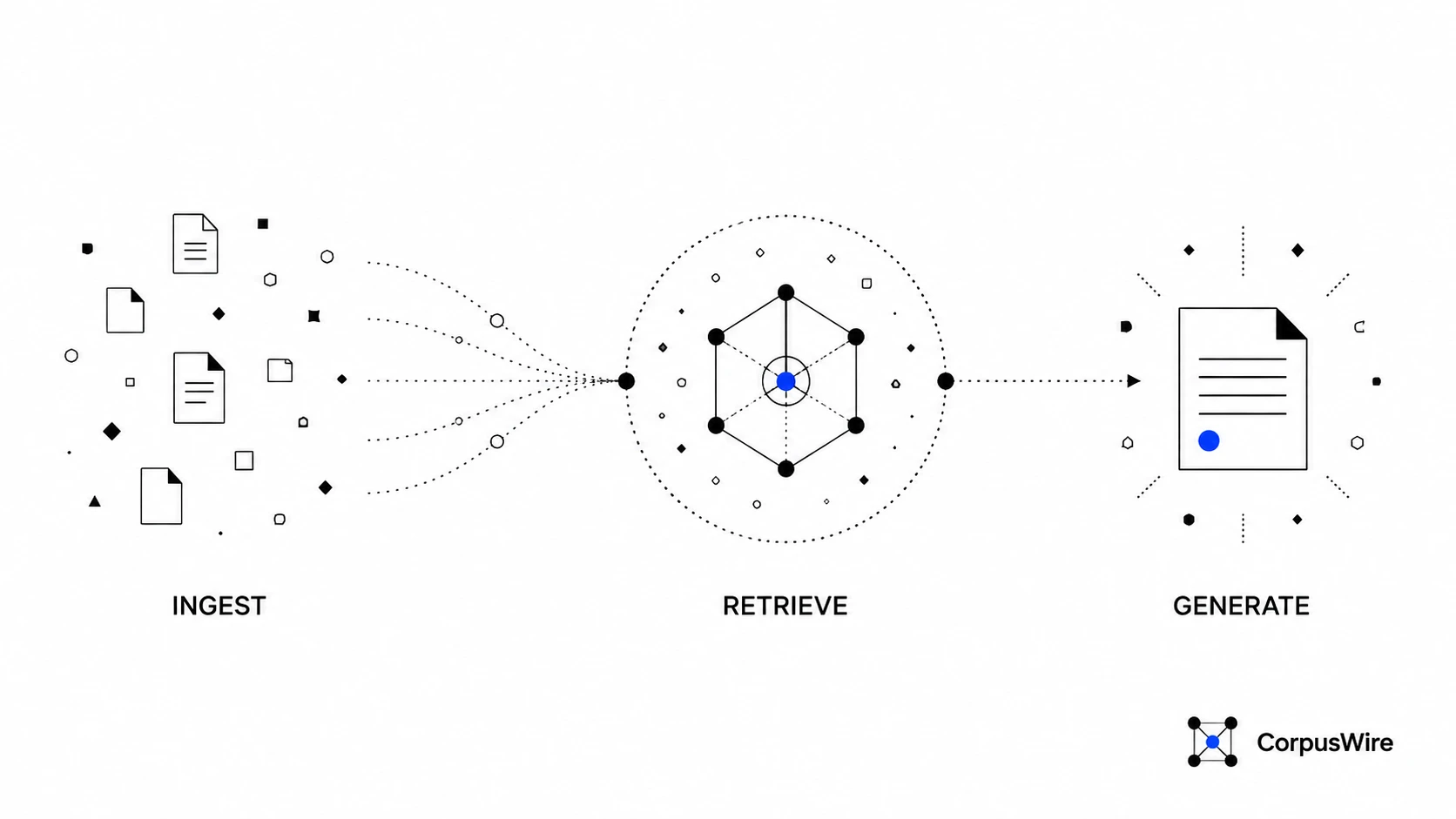
A basic RAG pipeline runs in three steps, and the vector database only owns the middle one:
- Ingest: documents get split into chunks, each chunk gets embedded, and the resulting vectors land in the vector database, usually alongside the original text and some metadata (source file, date, permissions).
- Retrieve: a user’s question gets embedded the same way, the vector database runs similarity search, and the closest chunks come back.
- Generate: the model gets the question plus those retrieved chunks as context, and writes an answer grounded in them instead of guessing from memory alone.
In this pipeline, the vector database is doing one of those three jobs: retrieval. It’s the search index that makes step two possible, not the part that writes the answer. That’s why “do I need one” almost always reduces to “do I need step two to actually work.”
If you’re building the whole pipeline yourself rather than buying a managed RAG product, build your own brain walks through all eight stages, not just this one.
Do you need one
If your AI tool only ever has to answer from a handful of documents you could paste into a single prompt, probably not. A model with a large enough context window can just read everything directly, and adding a vector database on top of that is extra infrastructure for no real benefit.
Past that point, document count alone isn’t the deciding factor. What matters is some combination of how often the documents change, how many people are querying at once, whether different users are allowed to see different documents, and whether the database you already run can add vector search instead of standing up a new one.
A small, stable set of documents that one person queries occasionally can often get by on full-text search or even direct context. A larger or faster-changing corpus, queried by a team, with access rules that vary by user, is where dedicated retrieval infrastructure starts earning its keep.
You also don’t automatically need a separate vector database service. If you already run Postgres, adding the pgvector extension may cover it.
A dedicated, purpose-built vector database tends to matter once search quality and scale become central to what you’re building, not before.
FAQ
Do I need a vector database if I only have a few hundred documents? It depends more on how those documents change and who’s querying them than on the raw count. If the set is stable and one person searches it occasionally, full-text search or direct context may be enough. If it changes regularly, gets queried by a team, or needs per-user access control, a few hundred documents is already past the point where a vector database earns its place.
Is a vector database the same thing as an AI model? No. The model generates answers. The vector database finds the source material the model should answer from. They’re separate pieces that work together in a RAG pipeline, not two versions of the same thing.
Can I add vector search to Postgres instead of using a separate database? Yes. The pgvector extension adds vector storage and similarity search directly to Postgres. It’s a reasonable starting point if you’re already running Postgres and don’t yet need the scale or specialization a dedicated vector database offers.
Want this running inside your own org?
Happy to show you how this fits your setup. 30-minute call, your documents, no prep needed.
Book a call →