In the Loop· August 21, 2026
Document Workflow Automation: What It Actually Replaces
Contents
Document workflow automation replaces three things you’re currently doing by hand: filing documents where someone can find them, routing them to the right person, and proving later where they came from. That’s it.
Three manual steps, automated. Call it digital transformation or the future of work if you want a bigger phrase for it. Underneath, that’s all it is.
If your team still emails PDFs around, drops files into a shared folder nobody actually follows the naming convention for, and hunts for the “final_v3_FINAL” version before a deadline, you’re doing all three by hand right now. You just don’t call it that.
The three steps it replaces
Filing. Someone decides where a document goes: a folder, a tag, a project code. Get it wrong and the document is effectively gone, technically saved but practically unfindable.
Multiply that by every new hire who invents their own folder logic. The “system” ends up being whatever the longest-tenured person happens to remember.
Routing. Someone decides who sees it next: an approval, a review, a signature. In most teams this happens over Slack or email, so it also happens outside any system that remembers it happened.
The document itself has no idea it was ever approved. That knowledge lives in someone’s inbox, and inboxes get archived, forgotten, deleted.
Proving where it came from. When someone asks where a number came from, or who approved this, someone has to reconstruct it, usually from memory, sometimes from a thread that got deleted.
This is the step that costs the most and gets noticed the least. It stays invisible right up until a client, an auditor, or a regulator asks for it and nobody can produce it cleanly.
Automation takes an index and a rule set and just does these three, consistently, without anyone having to remember to. The document gets tagged the moment it’s created. The routing rule fires the same way for the hundredth document as it did for the first.
The record of who touched it, and when, stays attached to the document itself instead of scattered across five different tools.
Why “just organize better” doesn’t fix it
The honest objection here is: couldn’t a team just get more disciplined about naming files and using one shared drive properly?
For a while, sure. Then the team doubles, or someone leaves and takes the folder structure logic in their head with them.
Or a client asks for an audit trail, and you realize the “trail” is a Slack scroll-back that’s three months stale. Discipline doesn’t scale the way a system that files, routes, and tracks provenance on its own does.
There’s a quieter reason discipline fails, too. It only works while the person enforcing it is watching.
The moment a deadline hits, the naming convention is the first thing to go. Nobody skips a deadline to rename a file correctly.
Automation applies the same rule every time, deadline or no deadline. There’s no judgment call to skip under pressure.
What this actually looks like
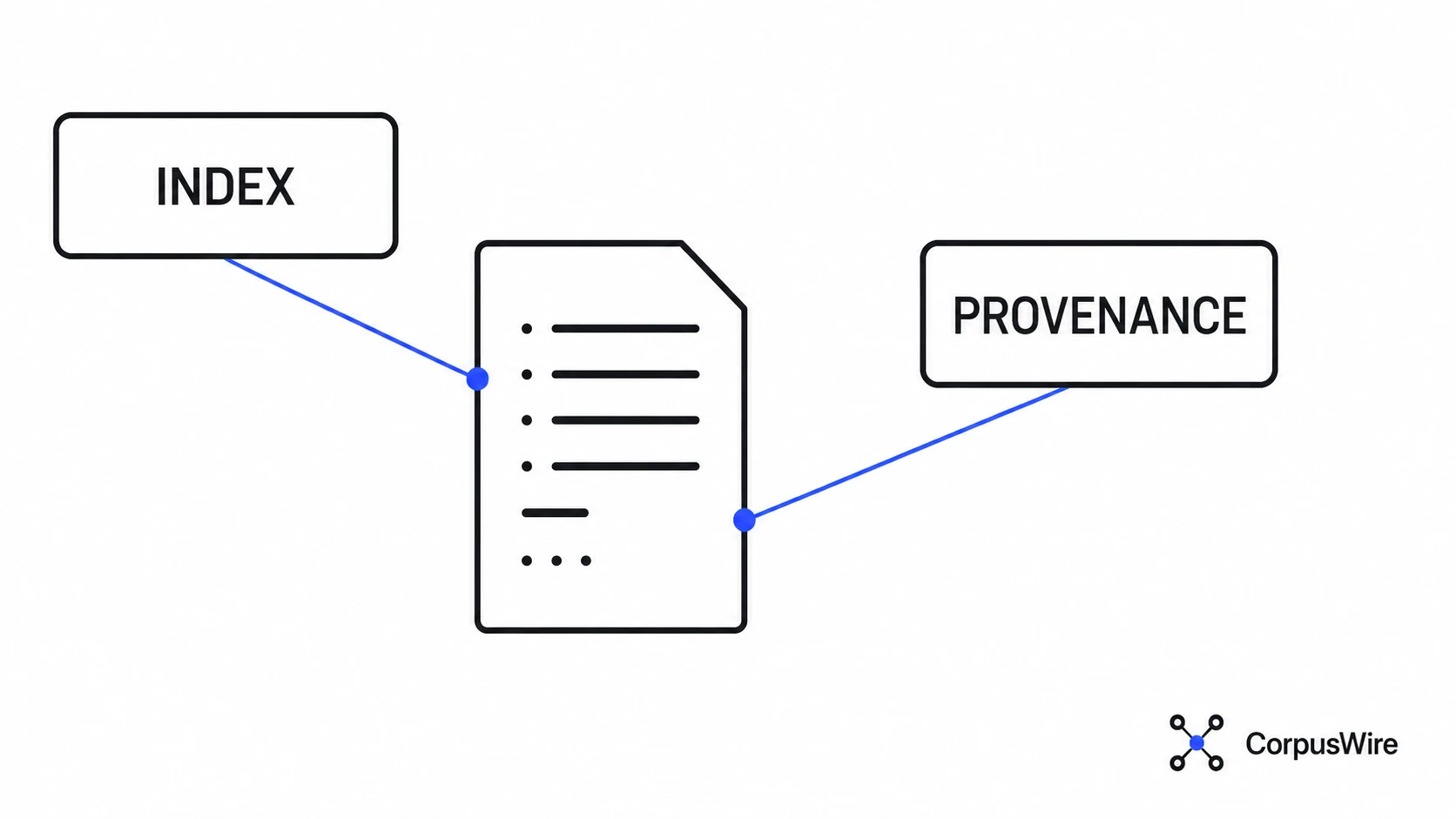
At a mechanical level, document workflow automation needs two things working together: an index that makes every document findable by what it’s about, and provenance, a record of where each piece of information came from and when it changed.
Get those two right, and filing stops being a decision a person makes. The document gets indexed on the way in.
Routing becomes a rule instead of a memory: “anything tagged contract goes to legal first.” When someone asks where a number came from, the answer is a lookup.
It’s the same underlying mechanism CorpusWire’s Brain uses to turn a document corpus into something queryable. The workflow layer and the knowledge layer are solving the same problem from two directions.
One asks where a document needs to go next. The other asks what it actually says and whether anything can find it later.
Solve only the first and documents move correctly but still can’t be searched. Solve only the second and you get a searchable pile that nobody’s actually approving or routing.
Where to start
Don’t start by shopping for software. Start by writing down the rule set you already follow in your head: which document types go where, who signs off on what, in what order.
Most teams find that the rule set is inconsistent the moment they try to write it down. That inconsistency is the real problem, and no tool fixes it for you.
Once it’s written down, pick the highest-friction document type first, the one that currently causes the most back-and-forth or the longest wait for approval. Automate that one path end to end before touching the rest.
A workflow that’s fully automated for one document type beats a workflow that’s half-automated for all of them. The first proves the pattern works; the second just moves the confusion into a new tool.
What to weigh before you commit to a tool
Does it index on the way in, or only on request? Some tools file a document the moment it lands and make it searchable immediately.
Others only index when someone manually triggers it. That quietly brings back the problem you were trying to get rid of: whoever remembers to do it.
Can routing rules change without a developer? Approval chains change when teams reorganize.
If updating a rule means filing a ticket and waiting on a sprint, the rule set drifts out of date faster than the org chart does.
And does provenance survive an export? If you ever need to hand a document’s full history to a client or an auditor, check whether that history travels with the file or stays locked inside the tool’s own database.
A workflow tool that can’t produce its own audit trail on demand has just moved that third manual step somewhere less visible.
Build versus buy usually comes down to how unusual your rule set actually is. A standard approval chain, draft, review, sign-off, fits inside almost any workflow tool on the market.
A rule set with genuinely unusual branching, or enough volume that per-seat pricing starts to hurt, is when a custom build starts paying for itself.
Where it goes wrong
Automating a broken process is the most common one. If the current filing and approval logic is inconsistent, automating it just makes the inconsistency faster and harder to spot.
Fix the rule before you encode it.
No maintenance plan is the quieter one. An automated workflow that nobody checks will silently drift: documents that don’t match any rule pile up unrouted, or an old approval chain keeps firing after the team structure changed.
Automation removes the manual step, but somebody still has to watch it.
Buying for the demo is the failure mode that shows up latest. A vendor demo shows the happy path: one document type, one clean approval chain.
Your actual rule set has exceptions: the contract that needs two sign-offs instead of one, the document type nobody quite agreed how to classify. Test it against your messiest document type before you sign.
Filing, routing, provenance. Write down your current rule set before you touch a tool.
If you can’t write it down cleanly, that’s the thing to fix first.
FAQ
Is document workflow automation the same as a document management system? No. A document management system is where files live: storage, versions, permissions, while document workflow automation is what happens to a file after it lands there: how it gets filed, who it routes to, how its history gets tracked. Most teams need both, since a good DMS with no workflow layer still leaves routing and provenance to memory.
Do I need custom software to automate this, or can existing tools do it? Most teams start with rules inside tools they already have: a DMS with routing built in, or a workflow layer bolted onto existing storage. A custom build makes sense once the rule set is unusual enough, or the volume justifies it.
How long does it take to automate a document workflow? Honestly, writing down the rule set takes longer than most teams expect, and that’s the real work. Once the rules are clear, wiring up the first document type is comparatively fast, since the bottleneck is almost never the tooling.
This post is the designated hub for CorpusWire’s Document Management & Workflow Automation cluster. Every related post in this series links back here.
Want this running inside your own org?
Happy to show you how this fits your setup. 30-minute call, your documents, no prep needed.
Book a call →