In the Loop· September 1, 2026
AI fatigue is real, and it’s not the AI’s fault
Contents
The Upwork Research Institute found something worth sitting with: 88% of workers with the highest AI-productivity gains report burnout, and they’re twice as likely to consider quitting.
The people burning out hardest are the ones getting the most out of AI, not the ones struggling to adopt it or barely using it at all.
If AI just made work easier, the heaviest users should feel the least exhausted. The data says the opposite.
Here’s the cost I keep seeing in practice, since the survey itself doesn’t name which one is doing the damage.
The mistake is blaming the tool
It’s easy to read that stat and conclude AI is exhausting by nature. Faster output, faster expectations, so of course the fastest movers burn out first.
My read: fatigue tracks tool sprawl and workload volume, not AI use on its own. Upwork’s own data doesn’t confirm or rule that out either way, which is worth saying plainly before going further.
Treating AI as the cause points you toward using it less. The sprawl underneath it points you somewhere else entirely.
One diagnosis tells your best people to slow down. The other points at the thing causing the strain, without asking anyone to produce less.
What actually changed for high-AI-productivity workers
Take a Monday morning meeting whose only job is reconciling two AI-drafted versions of the same brief. This one’s titled client-brief-v3-FINAL-v2.docx, past the tenth rewrite this month for the same reason.
Two versions in, “final” already stopped meaning final, and nobody’s sure which one the client actually saw.
That meeting is new. AI can draft four versions of a brief in an afternoon, and somebody still has to decide which one is real.
None of that shows up in a productivity metric. The hours spent comparing drafts and tracking down the current version don’t get counted anywhere, because nobody’s measuring them.
One limitation. The survey doesn’t break down which specific tools these workers were juggling, so I can’t point to one app, or even one category of app, as the culprit.
The pattern’s still there, limitation and all. It shows up hardest exactly where productivity gains are highest, which in my experience is also where tool count and task volume climb fastest.
Where CorpusWire’s own thinking on this started
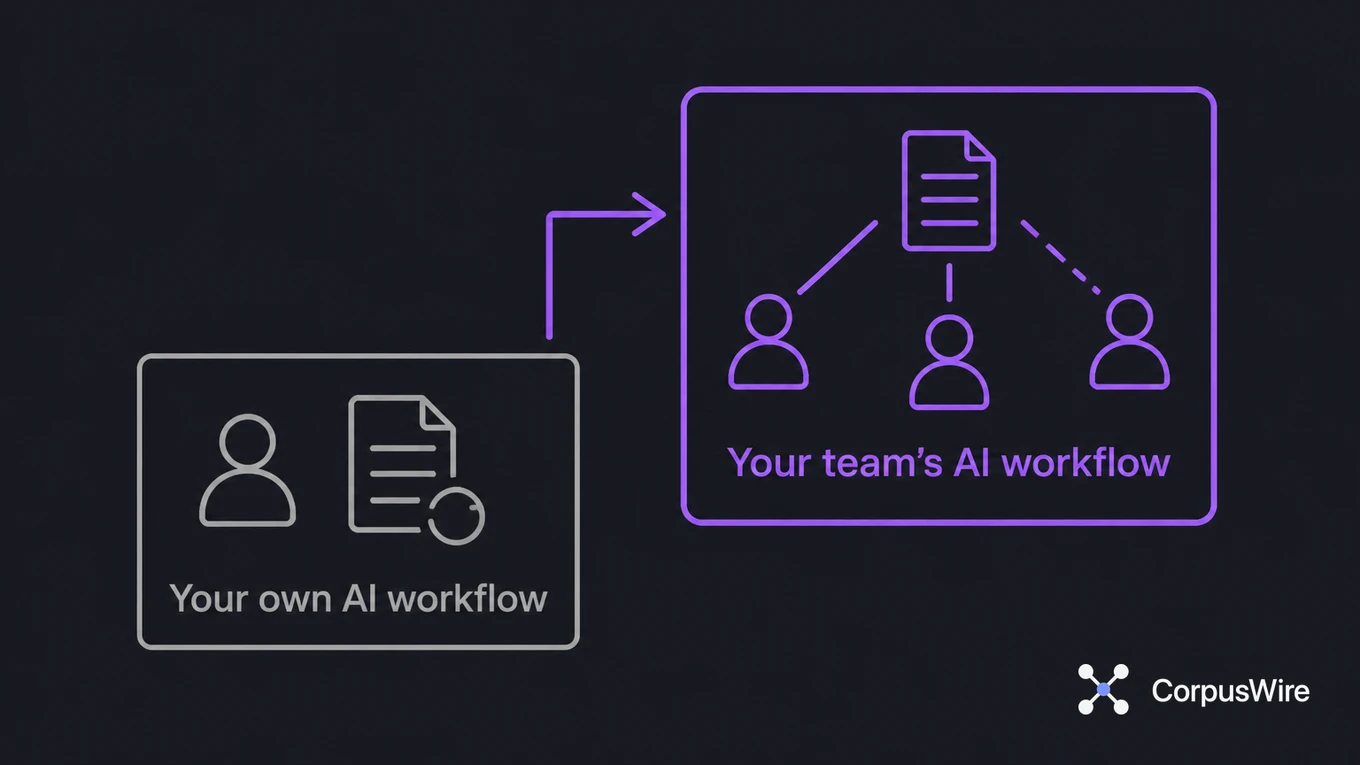
I built the AI Hangover Check for this reason. Twelve symptoms, split into two halves: six about your own AI workflow, six about your team’s.
The first six are things like re-explaining context to a new AI session every morning, or losing track of which draft is current. Small on their own. They add up fast once you’re running five or six AI tools instead of one.
The second six only show up once a team runs AI. No paper trail for a decision an AI tool helped make. The same piece of work done twice because nobody knew someone else already finished it.
Decisions nobody can trace back to why they were made sit in that second half too. Stacked across a whole team, they’re where the fatigue lives.
CorpusWire itself started from the same observation, one level up. Context scatters fast: what happened, why a decision got made, which draft is current. Once AI’s doing real work, no team keeps track of that by hand for long.
I built an index that stays fed by the business’s own data. A tool already has that history instead of starting cold every session, re-explaining the same decisions, or hunting one down from three tools back.
Score the first half of the check higher than the second, and the problem is still mostly yours to manage. Score the second half higher, and it’s already a team problem, whether anyone’s named it that way yet or not.
What this looks like from the manager’s seat
If you manage a team, the Upwork finding should worry you for a different reason. Your highest AI-productivity performers are the people you can least afford to lose, and they’re twice as likely to consider quitting.
The instinct move is to read that as an AI problem and pull back. Pulling AI licenses, capping output with a quota, or refusing to adjust anyone’s review load because “AI should make this faster” all treat the tool as the injury instead of the strain underneath it.
Those moves leave the coordination work sitting behind the numbers untouched. They just make your best people produce less, on top of everything else already unaddressed.
A manager who wants to keep those people looks somewhere different. Start with which meetings exist only to reconcile two AI-drafted versions of the same thing, then look at which decisions keep getting re-litigated because nobody wrote down the reasoning the first time.
It doesn’t cost anything to check either one. Both mean looking honestly at where the week’s time is going, instead of assuming the AI license is the line item to cut.
Fix what’s eating the time, and the quit risk follows it down.
Why “use AI less” isn’t the answer
The people with the highest self-reported productivity gains from AI show the highest levels of burnout, not the ones holding back, so cutting AI use treats the wrong variable.
The fix is closing the coordination gap AI opened, not throttling the tool that opened it. For one person, that might mean fewer disconnected tools and more discipline about where output lives.
For a team, it usually means something structural: a shared, indexed layer everyone’s AI tools can read from and write into, instead of each person’s own scattered chats and documents.
What actually helps
That’s a smaller problem than “AI is exhausting,” and one you can fix instead of live with.
Start by naming which half of the AI Hangover Check applies to you right now. That tells you whether this is still a personal habit problem or already a team structure problem, and those get fixed differently.
A personal habit problem gets better with fewer tools and tighter routines. A team structure problem needs something built, not just better discipline from any one person on the team.
Either way, the fix starts with naming which one you’re facing. Guessing wrong wastes exactly the energy you’re trying to save.
FAQ
Does using AI more actually cause burnout? The Upwork survey is self-reported and observational, so it shows correlation rather than proof of causation. Burnout clusters hardest among the highest-AI-productivity-gain workers, whatever the exact mechanism turns out to be.
Why are the most productive AI users the most burned out? Because getting real gains from AI usually means running more tools and producing more output, without a matching increase in how that output gets tracked and organized.
Should I use AI less to avoid burnout? Cutting AI use treats the wrong variable. Burnout clusters among the people with the highest self-reported productivity gains from AI, not the ones holding back, so scaling back costs you the gains without addressing the actual cause.
What’s the 88% Upwork statistic actually measuring? Among workers reporting the highest productivity gains from AI, 88% report burnout, and that group is twice as likely to consider quitting as lower-gain AI users.
Want this running inside your own org?
Happy to show you how this fits your setup. 30-minute call, your documents, no prep needed.
Book a call →